
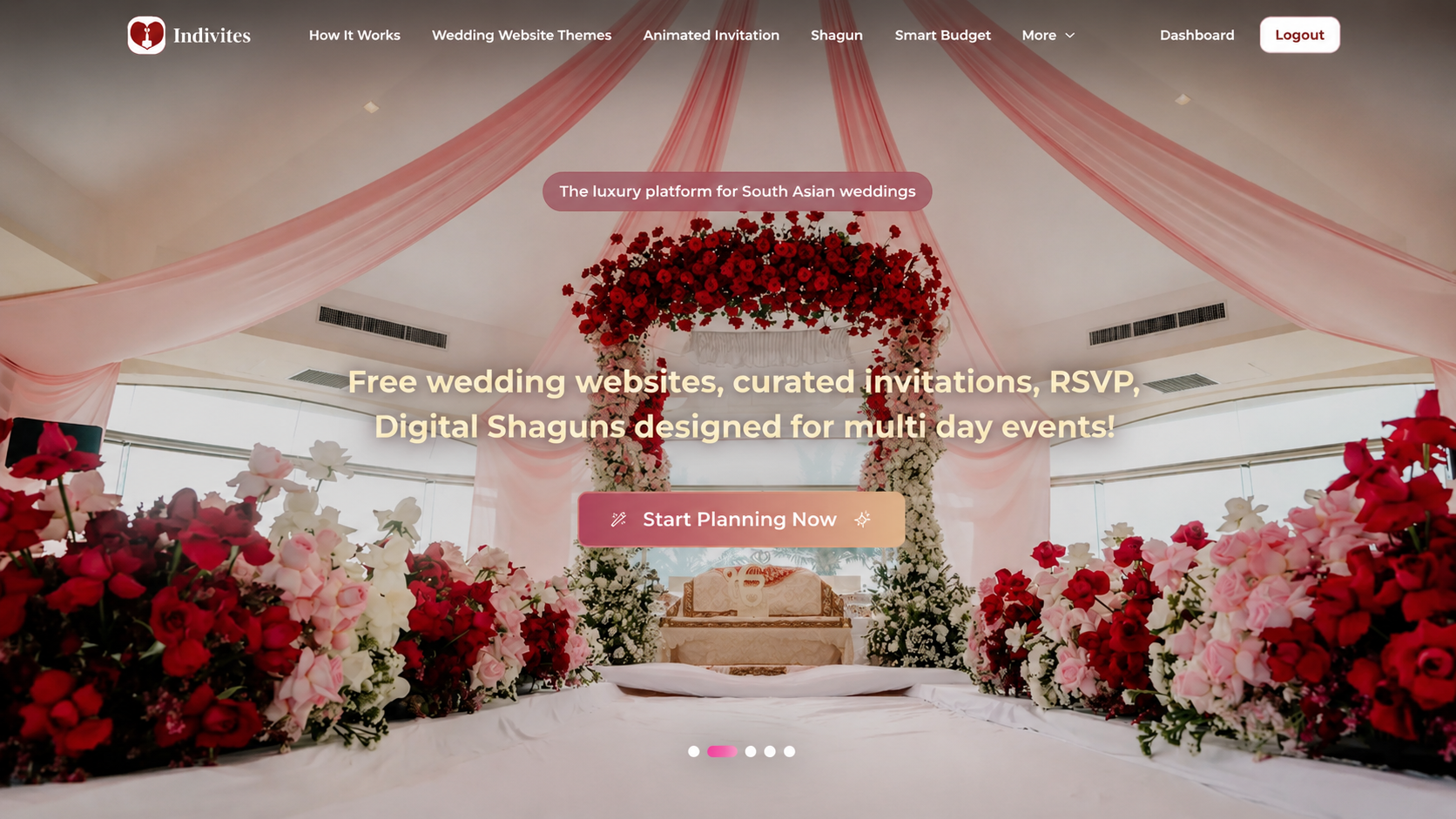
Setting up a wedding website used to mean either spending hours on a generic platform that was clearly not built for an Indian wedding, or paying someone to build something custom from scratch. Neither felt quite right. One gave you a template designed for a single ceremony and a cake cutting moment. The other cost more time and money than it should.
Indivites was built to fix exactly that. It is a platform made specifically for South Asian weddings, which means it already understands that your wedding is not one event but five or six, that your guest list is not one circle but many overlapping ones, and that the experience your guests receive should feel personal and considered rather than like a mass communication. Getting your wedding website up and running on Indivites takes five steps, and none of them require any technical knowledge. Here is exactly how it works.
Step 1: Start With Your Culture
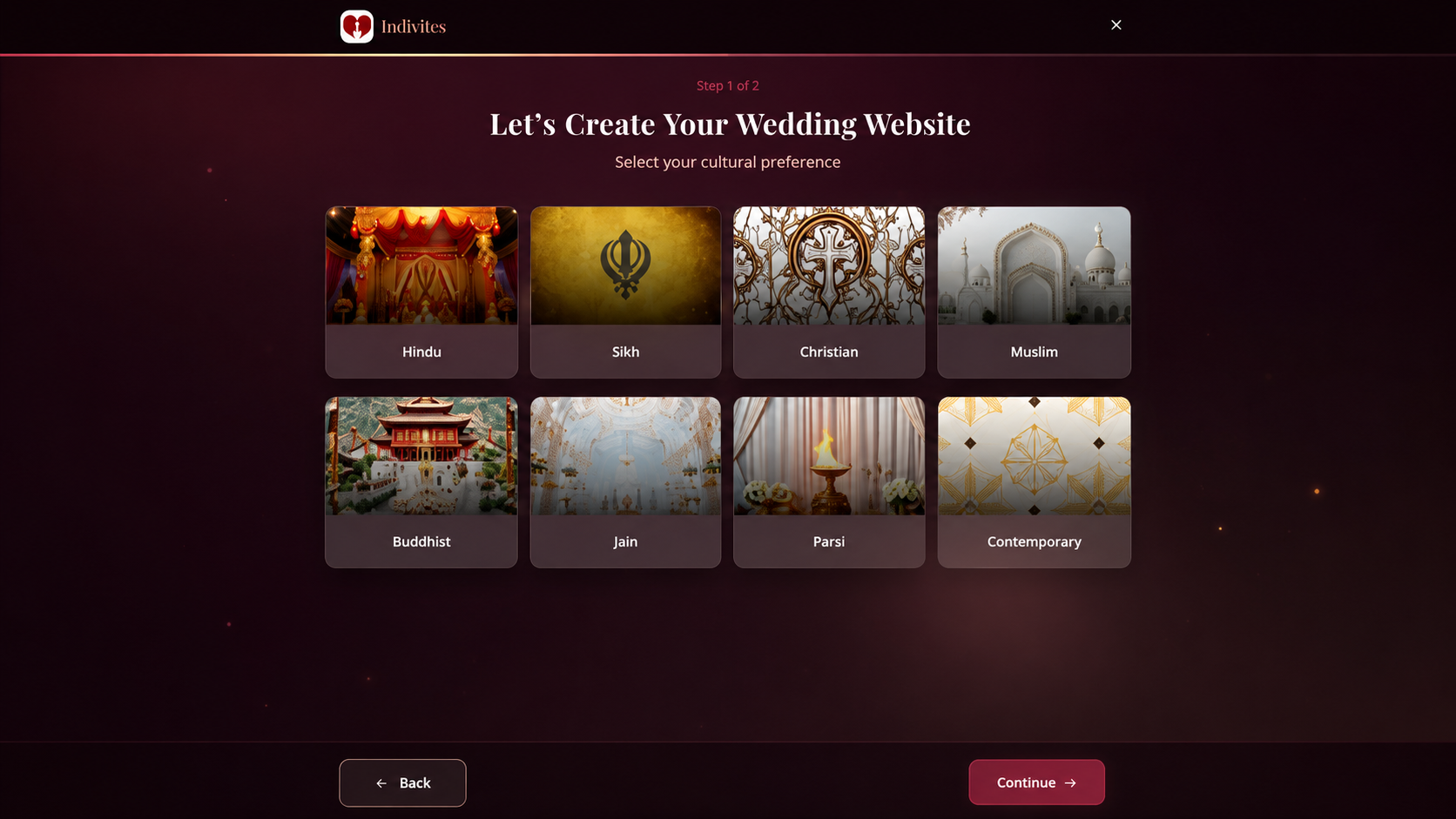
The very first thing Indivites asks you to do is select your cultural reference. You choose the style that best represents your wedding, and the current options include Hindu, Sikh, Christian, and Muslim celebrations.
This matters more than it might seem at first. Most wedding platforms start by asking you to pick a color or upload a photo. Indivites starts by understanding the cultural context of your celebration, because an Indian wedding is not just a visual aesthetic. It is a set of traditions, rituals, and community values that should shape everything that follows, from the events on your website to the way your invitation is designed and presented.
Once you select your cultural reference, the platform uses that as the foundation for your entire wedding experience. Everything that comes after is informed by that first choice, which means your website and invitation already feel rooted in your community before you have added a single detail.
Step 2: Select Your Wedding Events
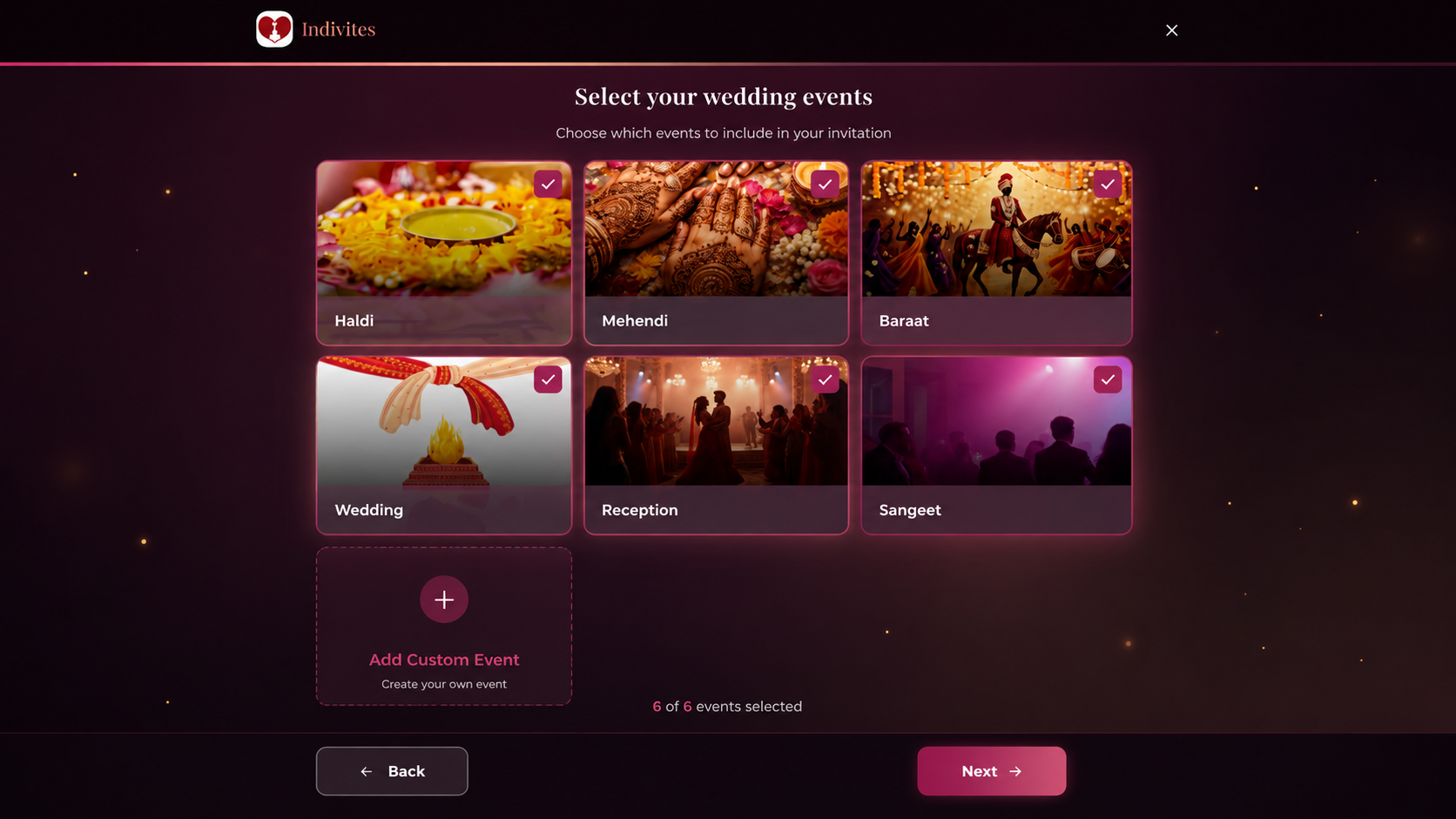
This is the step that makes Indivites genuinely different from every other platform out there, and it is worth spending a moment on why.
Most wedding platforms give you two slots. Ceremony and reception. That is it. For an Indian wedding with a Haldi, Mehendi, Sangeet, the main wedding, and a reception across multiple days, that structure is completely useless. You end up forcing your celebration into a format that was never designed for it, which leads to confusion for guests and frustration for the couple.
On Indivites, you select each event you want to include in your wedding. The platform already has the major South Asian celebrations ready to choose from, including Haldi, Mehendi, and Sangeet, and you simply check the ones that apply to your celebration. But here is what makes it even more useful: you can also add your own custom events. If you have a family-only puja, a temple ceremony, or a pre-wedding gathering that does not fit a standard label, you create it yourself and it becomes part of your wedding just like everything else.
Each event you select becomes its own entity within your wedding, with its own date, time, venue, and guest list. No two events are treated the same because no two events are the same.
Step 3: Choose a Design That Feels Like You
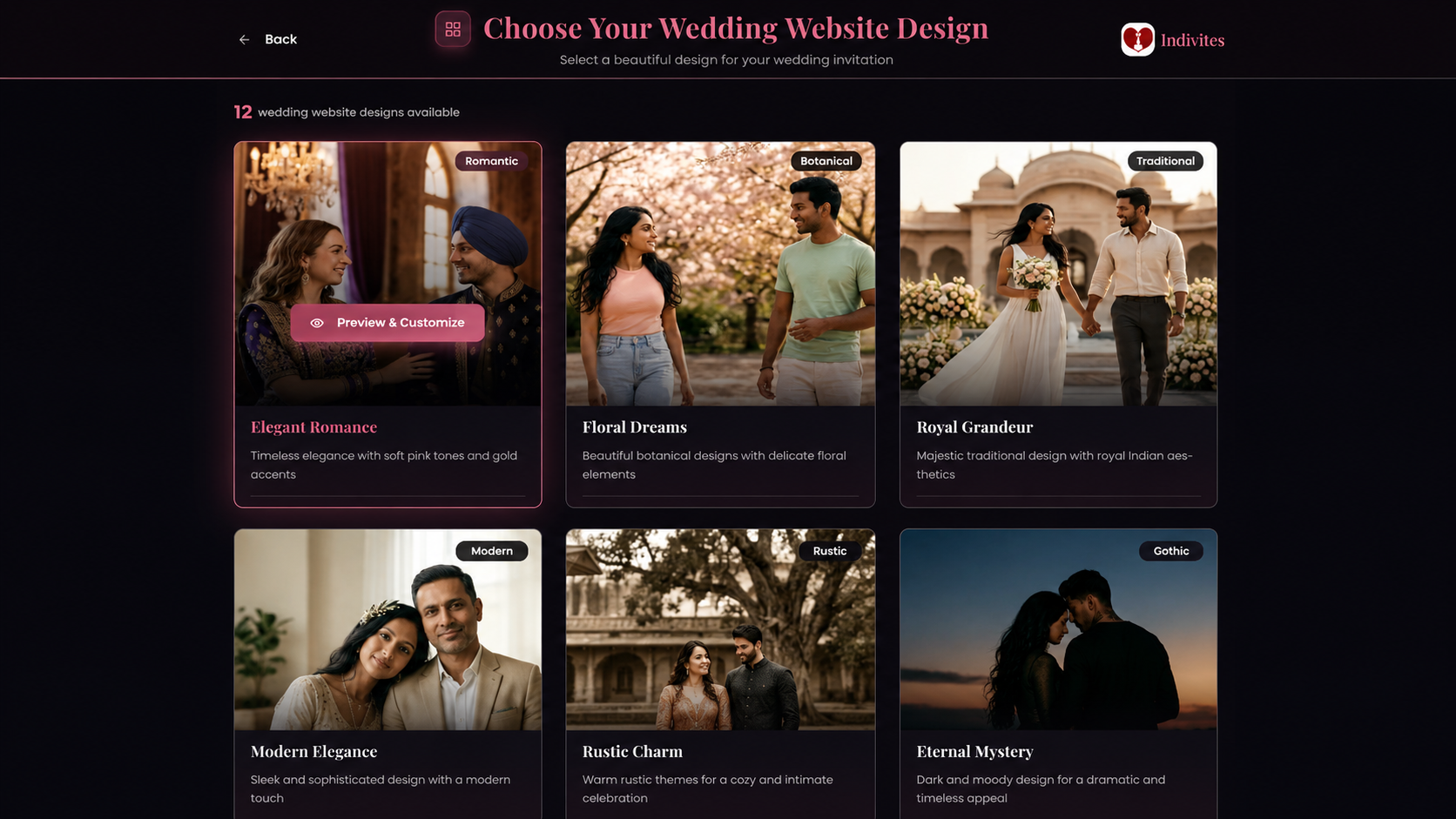
Once your events are set up, you choose your wedding website design. Indivites offers 12 website designs to pick from, and each one has its own visual identity and mood.
You are not choosing between minor color variations of the same basic template. Each design has a distinct character. One might be described as Timeless Romance, with soft pink tones and gold accents. Another might feel more contemporary and minimal. Another might lean into rich jewel tones and ornate details. The goal is to find the design that actually matches the energy of your celebration rather than settling for whatever looks least generic.
This step is also faster than most couples expect. Because the platform already knows your cultural reference and your events, the designs it shows you are relevant to your wedding from the start. You are not scrolling through options designed for beach weddings and barn receptions and trying to imagine them in a different context. You are choosing from designs that were already built with South Asian celebrations in mind.
Step 4: Add Your Wedding Details
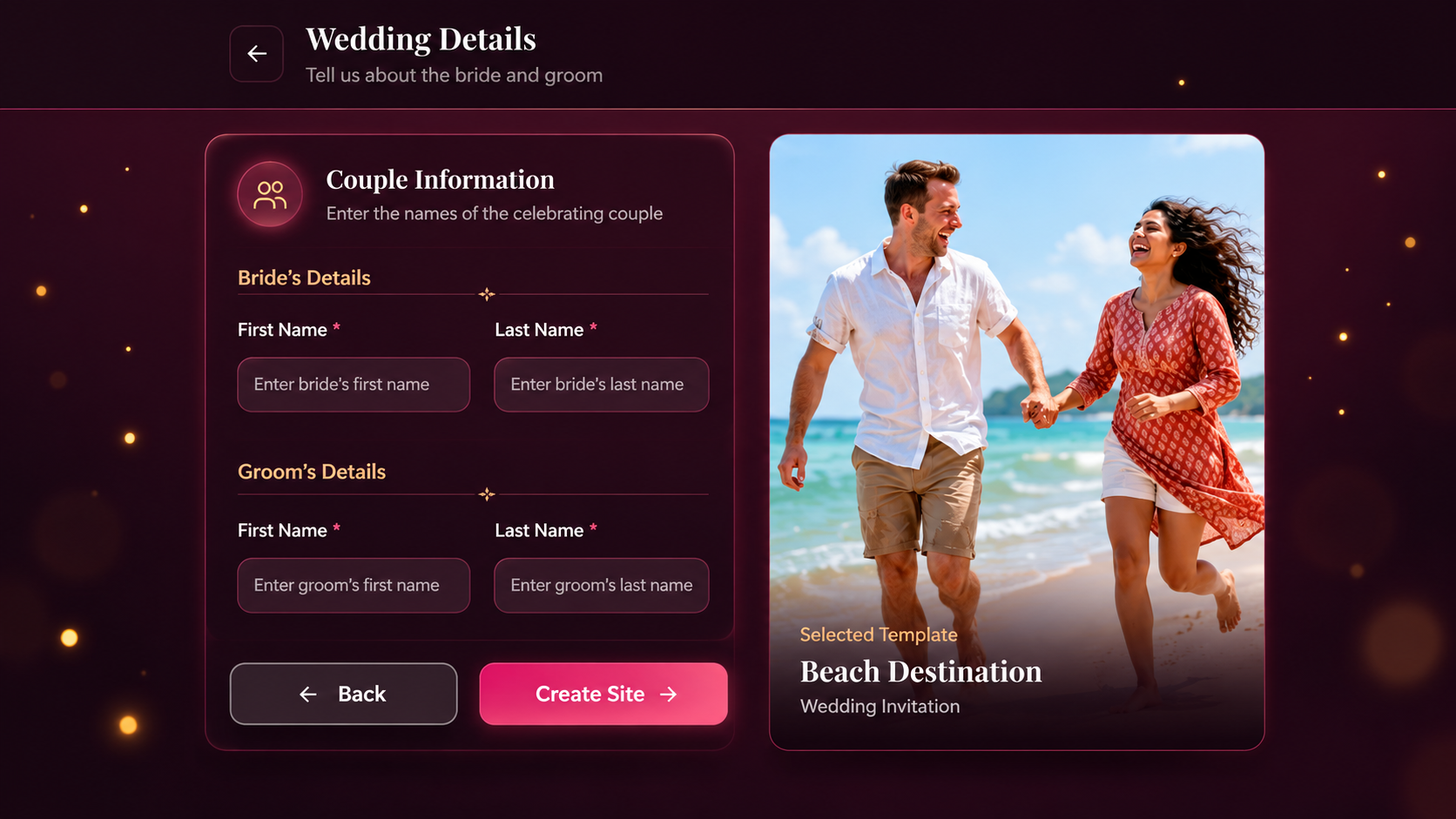
This is where the website comes to life with your specific information. In this step you enter the bride and groom's details, starting with first and last names, and this information becomes the personal foundation of everything guests will see when they open your invitation or visit your website.
Beyond the couple's names, this is also where you build out the content of your wedding website itself. You decide what information to include and how much detail to go into. Some couples keep it simple, adding just the event dates, times, and venues. Others go further and include travel and accommodation suggestions for guests who are coming from out of town, dress code notes for each function, specific instructions for certain events, or a short story about how they met. The platform gives you the structure and you fill it with whatever feels right for your wedding and your guests.
There is no fixed template you have to follow. The website is yours to shape, and the details you add reflect the kind of experience you want your guests to have before they even arrive at the celebration.
Step 5: Add Your Guests and Send the Invitations
This is the final step and the one that brings everything together. Once your website is ready, you start adding your guests, and this is where the core magic of Indivites becomes most visible.
When you add a guest, you enter their name, email address or phone number, and then you assign them to the specific events they are invited to. This is not a blanket invitation that goes to everyone for everything. Each guest is connected to exactly the events that are relevant to them. Someone invited to the full five-day celebration sees all five events in their invitation. Someone invited only to the reception sees only the reception.
The platform also lets you tag each guest so you can organize your list easily. You can tag guests as VIP, Family, Friend, or Colleague, or create your own tags that make sense for your specific situation. You can also add notes about individual guests, which is useful for keeping track of anything relevant, like dietary needs or travel arrangements you are helping coordinate.
For guests coming as a group or as a family unit, you can add them together under one invitation with a party size of up to six people. This keeps your guest list clean and avoids sending multiple separate invitations to people who are attending together.
Once a guest is added and their events are selected, sending their invitation is straightforward. And here is something worth knowing about how Indivites handles forwarding: even if a guest shares their invitation link with someone else, the person who receives it will only see the events assigned to the original invitation. There is no way for someone to accidentally access a private function they were not invited to just because a link was shared. The personalization is built into the system, not dependent on anyone remembering to keep things confidential.
What Happens After Your Website Goes Live
Once your wedding website is live and your invitations are out, the Indivites dashboard becomes your central hub for everything that follows. You can track RSVPs per event in real time, so you always know exactly how many people have confirmed for each function without having to chase anyone down or compile numbers from different sources.
If you want to go further, the platform also has a Smart Budget Tracker where you can set a budget for each category of your wedding spending, from venue and catering to attire and decor, and monitor where your money is going across the whole planning period. This lives in the same dashboard as everything else, which means you are not jumping between different tools to manage different parts of your wedding.
There is also an AI-powered Wedding Hashtag Generator that creates personalized hashtag options using the bride and groom's names. If you want a wedding hashtag for your guests to use on social media, this takes care of it in seconds without any creative effort required.
And for guests who want to give Shagun digitally, the platform has a dedicated Shagun and Registry feature where guests can send their blessing through a beautifully designed digital envelope, with secure payments processed through Stripe and email confirmations sent automatically to both the guest and the recipient.
Frequently Asked Questions
Does Indivites work for weddings that include non-Indian ceremonies like a Christian or civil ceremony alongside traditional functions? Yes. When you set up your wedding you can include any combination of events that reflects your actual celebration. If your wedding includes both a traditional function and a civil ceremony, you add both and manage them the same way. The platform does not limit you to a fixed event structure.
Can I update my wedding website after it goes live? Yes. You can update event details, add new information, or make changes at any point. Guests who visit the website after an update see the current information automatically, which is significantly easier than resending communications every time something changes.
What happens if I want to add a guest after the website is already live? You can add guests at any time from your dashboard. New guests are assigned to their events the same way as everyone else, and their invitations go out immediately after you add them. There is no need to rebuild or republish anything.
Can two people from the same family receive different invitations for different events? Yes, and this is one of the most practically useful things about how Indivites works. Each guest is added individually and assigned to their specific events, so two people from the same family can have completely different invitation experiences based on which functions they are attending.
Is there a limit to how many events I can add to my wedding? Indivites is built for multi-event South Asian weddings, so there is no restrictive limit on the number of events you can include. You add the events that reflect your actual celebration, whether that is two functions or seven.
Is Indivites free to use? Indivites offers a free wedding website as part of its platform. For full access to all features including animated invitations, RSVP tracking, digital Shagun, and the budget planner, you can explore the available plans on the Indivites website to find what works for your wedding.